

【android】仿支付宝金额千分位格式化
格式化double,进行千分位分组,并保留最后两位小数,因为是金额,所以绝对不能四舍五入,效果如下:此处不能使用单纯的String.format来实现,因为默认String.format会自动四舍五入
on
2017/07/11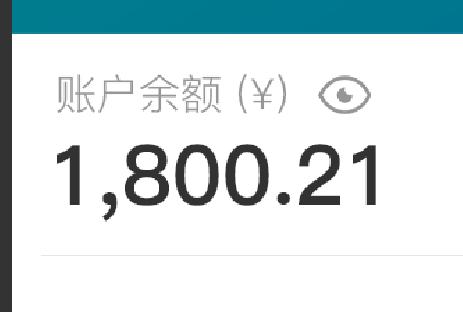
格式化double,进行千分位分组,并保留最后两位小数,因为是金额,所以绝对不能四舍五入,效果如下:
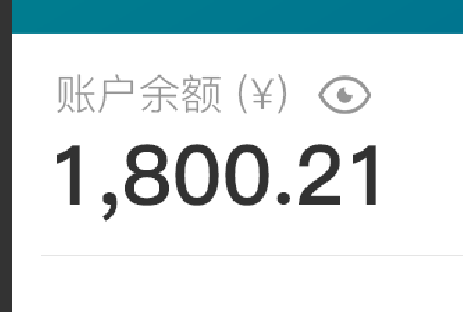
此处不能使用单纯的String.format来实现,因为默认String.format会自动四舍五入,例如:
public static void main(String[] args) {
    System.out.println(formatPrice(16513.09));
    System.out.println(formatPrice(16513.0561513));
    System.out.println(formatPrice(16513.09999999));
    System.out.println(formatPrice(1781656513.0545631));
}
public static String formatPrice(double price){
    //format price.
    //default keep 6 decimal places
    String text = String.format("%,f",price);
    int beginIndex = 0;
    int endIndex = text.length() - 4;
    return text.substring(beginIndex, endIndex);
}
打印结果如下:
16,513.09
16,513.05
16,513.10
1,781,656,513.05
观察第3个结果,我们可以发现一旦小数位数超过6位,会自动对第6位小数进行四舍五入,依次往上进位,就变成了16,513.10
这个结果对于显示金额来说是大忌
那么正确的处理方式如下:
public static void main(String[] args) {
    System.out.println(formatPrice(16513.09,false));
    System.out.println(formatPrice(16513.0561513,false));
    System.out.println(formatPrice(16513.09999999,false));
    System.out.println(formatPrice(1781656513.0545631,false));
}
public static String formatPrice(double price,boolean halfUp){
    DecimalFormat formater = new DecimalFormat();
    // keep 2 decimal places
    formater.setMaximumFractionDigits(2);
    formater.setGroupingSize(3);
    formater.setRoundingMode(halfUp ? RoundingMode.HALF_UP:RoundingMode.FLOOR);
    return formater.format(price);
}
结果如下:
16,513.09
16,513.05
16,513.09
1,781,656,513.05
方法说明:
setMaximumFractionDigits设置最大小数位数
setGroupingSize设置分组大小,也就是显示逗号的位置
setRoundingMode设置四舍五入的模式
 江江于 2026-10-13 16:15:06 修改阅读 7846评论 0点赞 0