

【cocos creater】8.仿《弓箭传说》- 发射子弹
查看项目所有章节接着上一章,在层级管理器中创建一个名叫bullet的精灵,表示我们的子弹接着给bullet精灵添加子弹图片效果如下:创建完成后,在层级管理器中将bullet精灵直接拖到下方的资源管理器
on
2025/10/15查看项目所有章节
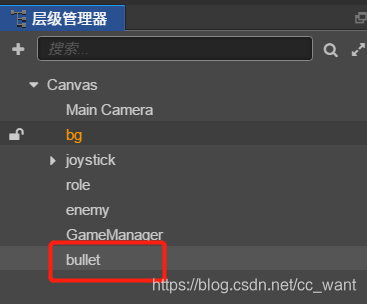
接着上一章,在层级管理器中创建一个名叫bullet的精灵,表示我们的子弹
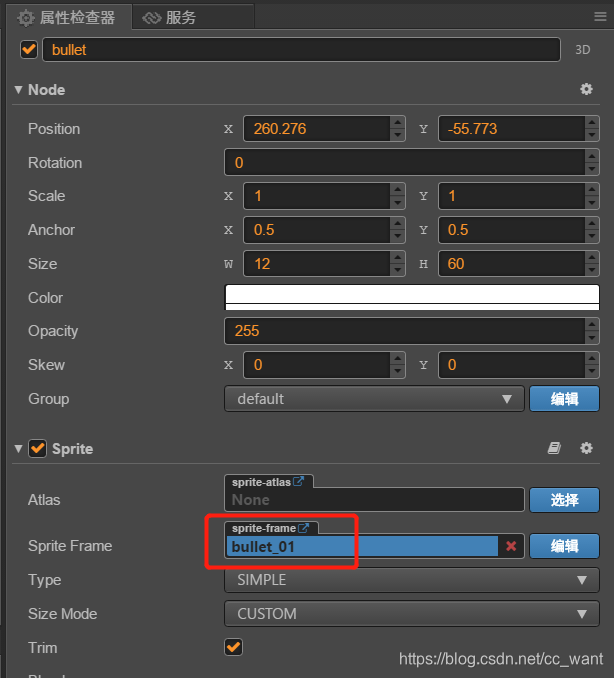
接着给bullet精灵添加子弹图片
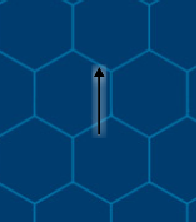
效果如下:
创建完成后,在层级管理器中将bullet精灵直接拖到下方的资源管理器中,形成bullet预制体
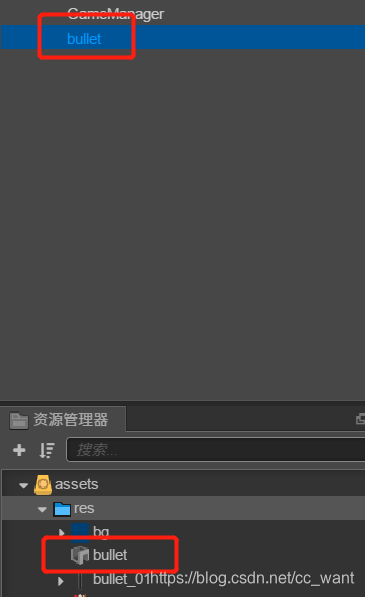
然后删除层级管理器中的bullet精灵
创建bullet.ts脚本
const { ccclass, property } = cc._decorator

@ccclass
export default class NewClass extends cc.Component {
  //子弹的移动速度
  speed: number = 200
  //攻击目标
  target: cc.Vec2 = null
  //子弹池
  pool: cc.NodePool = null

  start() {}
  update(dt) {
    if (this.target === null) {
      return
    }
    var point = this.node.getPosition()
    //减速运动
    // var delta = this.target.sub(point)
    // var distance = this.target.mag()

    //匀速运动
    var delta = this.target.sub(point)
    var distance = point.sub(this.target).mag()

    var vx = (this.speed * delta.x) / distance
    var vy = (this.speed * delta.y) / distance
    this.node.x += vx
    this.node.y += vy
  }
}
修改role.ts脚本
import Bullet from '../script/bullet'

const { ccclass, property } = cc._decorator

@ccclass
export default class Role extends cc.Component {
  move_speed: number = 200

  @property(cc.Prefab)
  bullet_prefab: cc.Prefab = null

  private bullet_pool: cc.NodePool

  start() {
    this.bullet_pool = new cc.NodePool('role_bull')
  }
  // update (dt) {}

  /**
   * 主角的移动
   * @param distance 移动距离
   * @param degreee 角度
   */
  move(distance: number, degreee: number) {
    var sx = distance * Math.cos(degreee)
    var sy = distance * Math.sin(degreee)

    //移动
    var pos = this.node.getPosition()
    pos.x += sx
    pos.y += sy
    this.node.setPosition(pos)

    //旋转蛇头
    var angle = (degreee * 180) / Math.PI
    //默认是0,所以这里-90
    angle -= 90
    this.node.angle = angle
  }
  attack(target: cc.Vec2) {
    cc.log('bullet_pool size = ', this.bullet_pool.size())
    var node = this.bullet_pool.get()

    if (!node) {
      node = cc.instantiate(this.bullet_prefab)
    }
    node.x = this.node.x
    node.y = this.node.y
    node.angle = this.node.angle
    var bullet = node.getComponent(Bullet)
    bullet.pool = this.bullet_pool
    bullet.speed = 10
    bullet.target = target
    this.node.parent.addChild(node)
  }
}
修改game_manager.ts脚本,添加攻击动作代码
      //若停止移动,设置主角朝向
      if (this.move) {
        this.move = false
        console.log('停止移动 :' + degree)
        this.role.node.angle = -degree + 180
        this.role.attack(this.enemy.node.getPosition())
      }
运行效果如下:
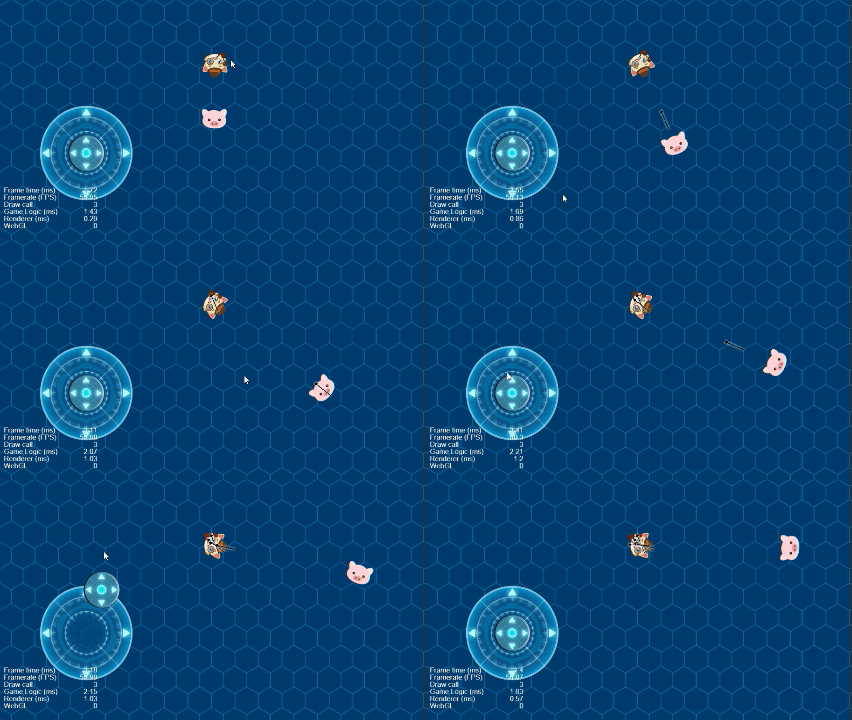
这样我们的子弹就发射出去了
 江江于 2026-10-14 08:34:35 修改阅读 82评论 0点赞 0