

【cocos creater】5.仿《弓箭传说》- 创建虚拟遥感
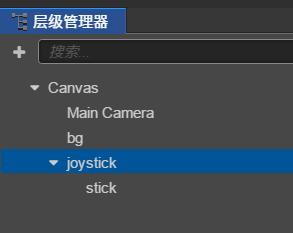
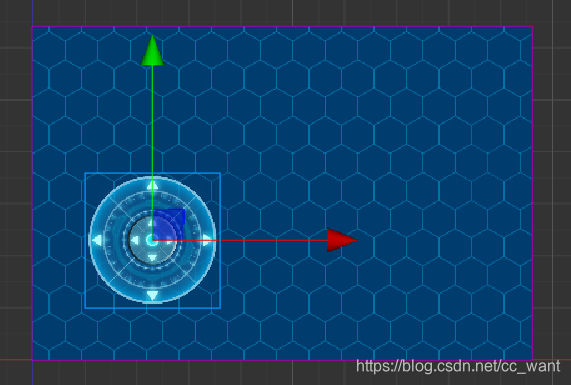
查看项目所有章节接着上一章,在man场景中创建一个joystick精灵,并在joystick下创建一个stick精灵将提前准备好的资源拖到精灵上修改它们的大小,joystick修改为260*260,s
on
2025/10/15查看项目所有章节
接着上一章,在man场景中创建一个 joystick 精灵,并在 joystick下创建一个 stick 精灵
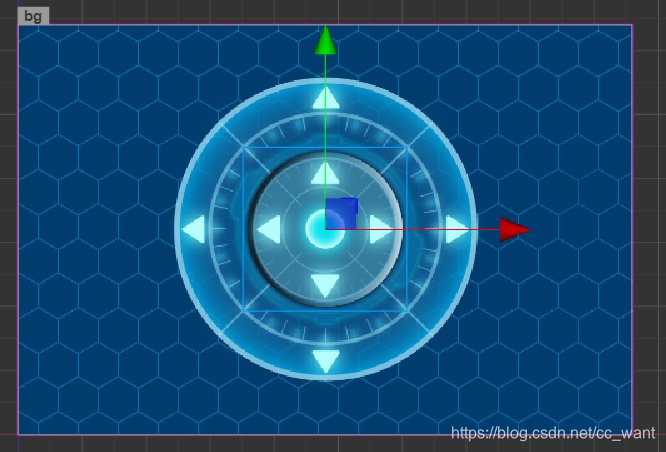
将提前准备好的资源拖到精灵上
修改它们的大小,joystick修改为260*260,stick修改为100*100
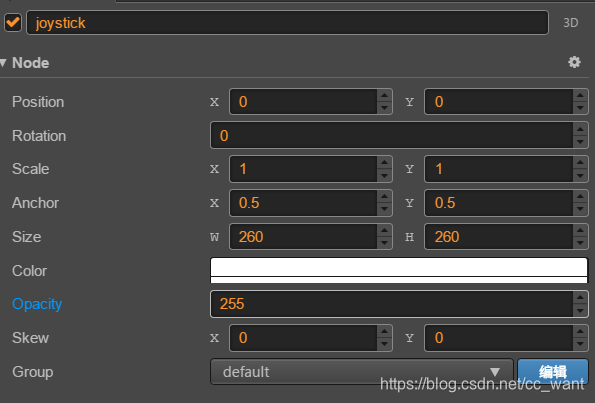
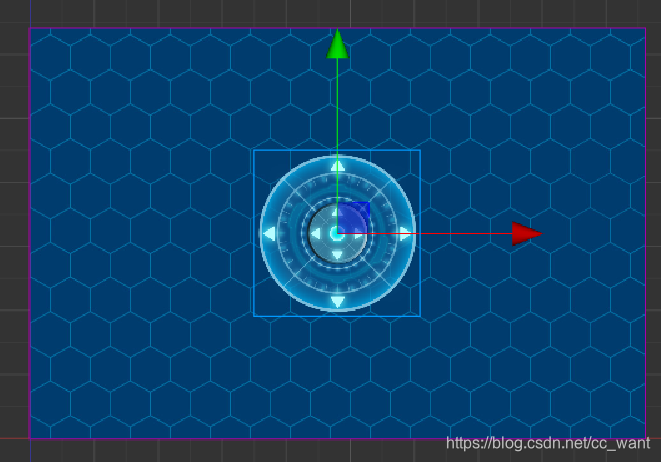
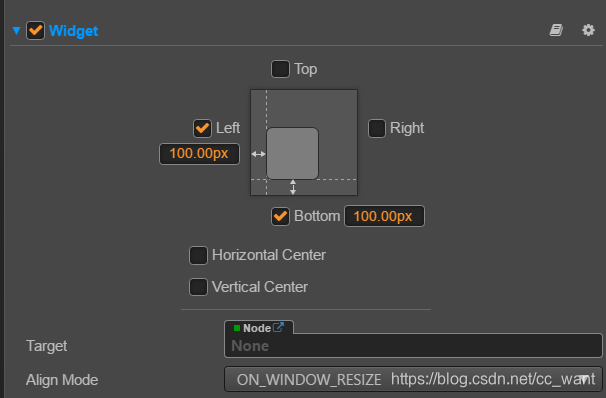
并给joystick节点添加widget组件,并设置左下位置100,让其固定在屏幕的左下角
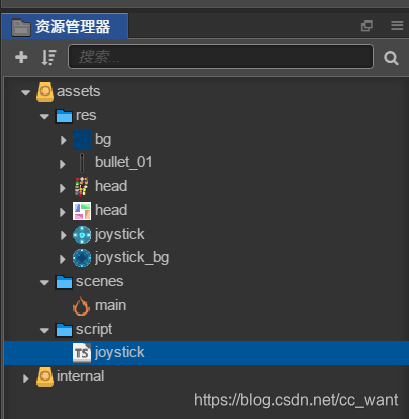
在scripts文件夹中创建TypeScript脚本,脚本内容如下:
const { ccclass, property } = cc._decorator

var State = cc.Enum({
  IDLE: 0,
  MOVE: 1
})

@ccclass
export default class NewClass extends cc.Component {
  @property(cc.Node)
  stick = null

  @property
  max_radius: number = 120

  @property
  min_radius: number = 60
  // LIFE-CYCLE CALLBACKS:

  // onLoad () {}
  @property({
    type: State
  })
  state = State.IDLE

  dir: number
  radius: number

  start() {
    this.dir = -1
    this.radius = 0
    this._initTouchEvent()
  }

  _initTouchEvent() {
    cc.log('====_initTouchEvent====')
    this.node.on(cc.Node.EventType.TOUCH_START, this._touchStartEvent, this)

    this.node.on(cc.Node.EventType.TOUCH_MOVE, this._touchMoveEvent, this)

    // 触摸在圆圈内离开或在圆圈外离开后,摇杆归位,player速度为0
    this.node.on(cc.Node.EventType.TOUCH_END, this._touchEndEvent, this)
    this.node.on(cc.Node.EventType.TOUCH_CANCEL, this._touchEndEvent, this)
  }
  _touchStartEvent(e) {
    this.stick.setPosition(cc.v2(0, 0))
    this.dir = 0
  }
  _touchMoveEvent(e) {
    var w_pos = e.getLocation()
    var pos = this.node.convertToNodeSpaceAR(w_pos)
    var len = pos.mag()
    if (len > this.max_radius) {
      pos.x = (pos.x * this.max_radius) / len
      pos.y = (pos.y * this.max_radius) / len
    }
    this.stick.setPosition(pos)

    if (len < this.min_radius) {
      return
    }
    this.dir = -1
    var r = Math.atan2(pos.y, pos.x)
    if (r >= (-8 * Math.PI) / 8 && r < (-7 * Math.PI) / 8) {
      this.dir = 2
    } else if (r >= (-7 * Math.PI) / 8 && r < (-5 * Math.PI) / 8) {
      this.dir = 6
    } else if (r >= (-5 * Math.PI) / 8 && r < (-3 * Math.PI) / 8) {
      this.dir = 1
    } else if (r >= (-3 * Math.PI) / 8 && r < (-1 * Math.PI) / 8) {
      this.dir = 7
    } else if (r >= (-1 * Math.PI) / 8 && r < (1 * Math.PI) / 8) {
      this.dir = 3
    } else if (r >= (1 * Math.PI) / 8 && r < (3 * Math.PI) / 8) {
      this.dir = 4
    } else if (r >= (3 * Math.PI) / 8 && r < (5 * Math.PI) / 8) {
      this.dir = 0
    } else if (r >= (5 * Math.PI) / 8 && r < (7 * Math.PI) / 8) {
      this.dir = 5
    } else if (r >= (7 * Math.PI) / 8 && r <= (8 * Math.PI) / 8) {
      this.dir = 2
    }
    //0 top
    //1 bottom
    //2 left
    //3 right
    //4 right-top
    //5 left-top
    //6 left-bottom
    //7 right-bottom

    cc.log('dir = ', this.dir)
    this.radius = r
    this.state = State.MOVE
  }
  _touchEndEvent(e) {
    this.stick.setPosition(cc.v2(0, 0))
    this.dir = 0
    this.state = State.IDLE
  }
  // update (dt) {}
}
此脚本的意思是监听触摸事件,通过触摸位置设置stick的位置。同时根据stick节点在joystick节点中的位置,计算stick节点于joystick节点中间位置的角度,并判断其方向
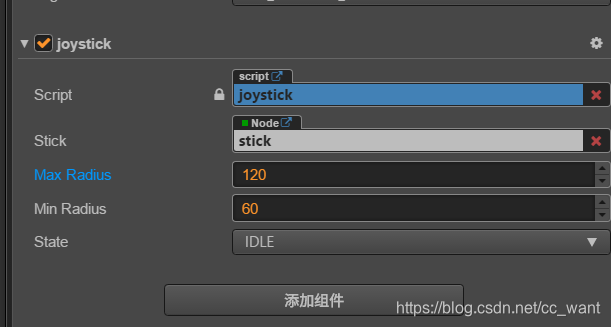
将joystick脚本拖到joystick的属性检查器中,会自动添加一个script的属性节点
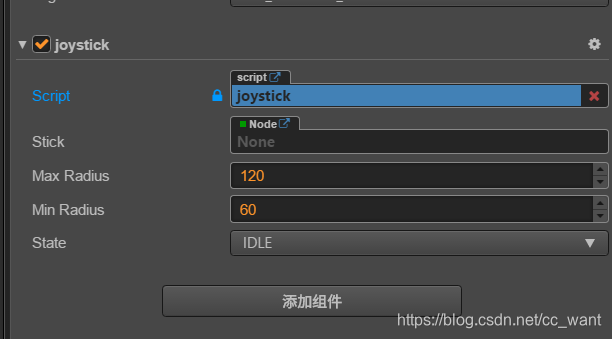
此时将sctick节点从层级管理器中拖到joystick脚本的Stick属性上
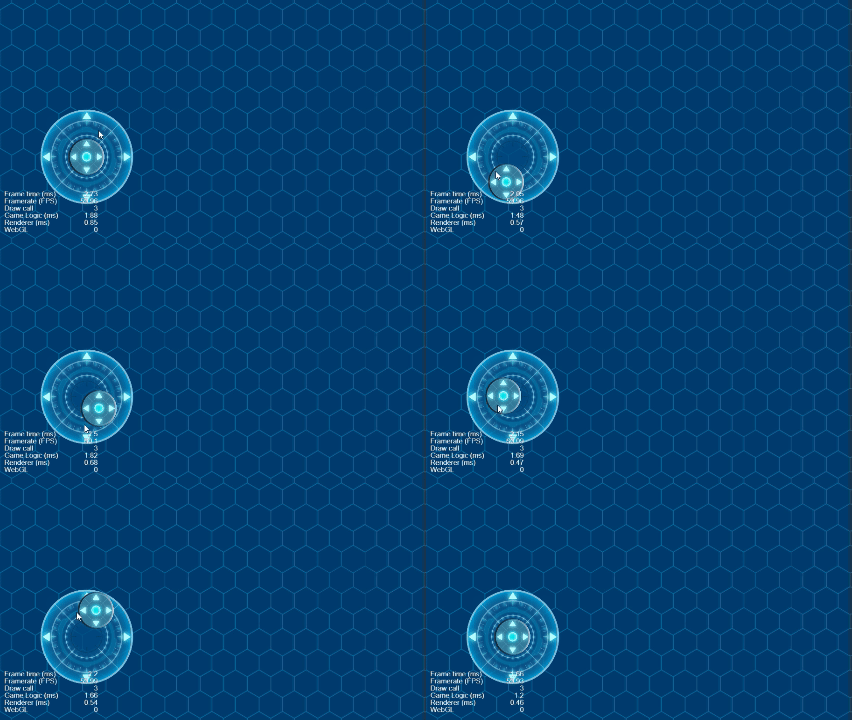
运行查看效果:
 江江于 2026-10-13 22:20:52 修改阅读 75评论 0点赞 0